

Open Network
Sign in to the EDBB Control Panel, open Services → My Services, select your VPS and choose Network.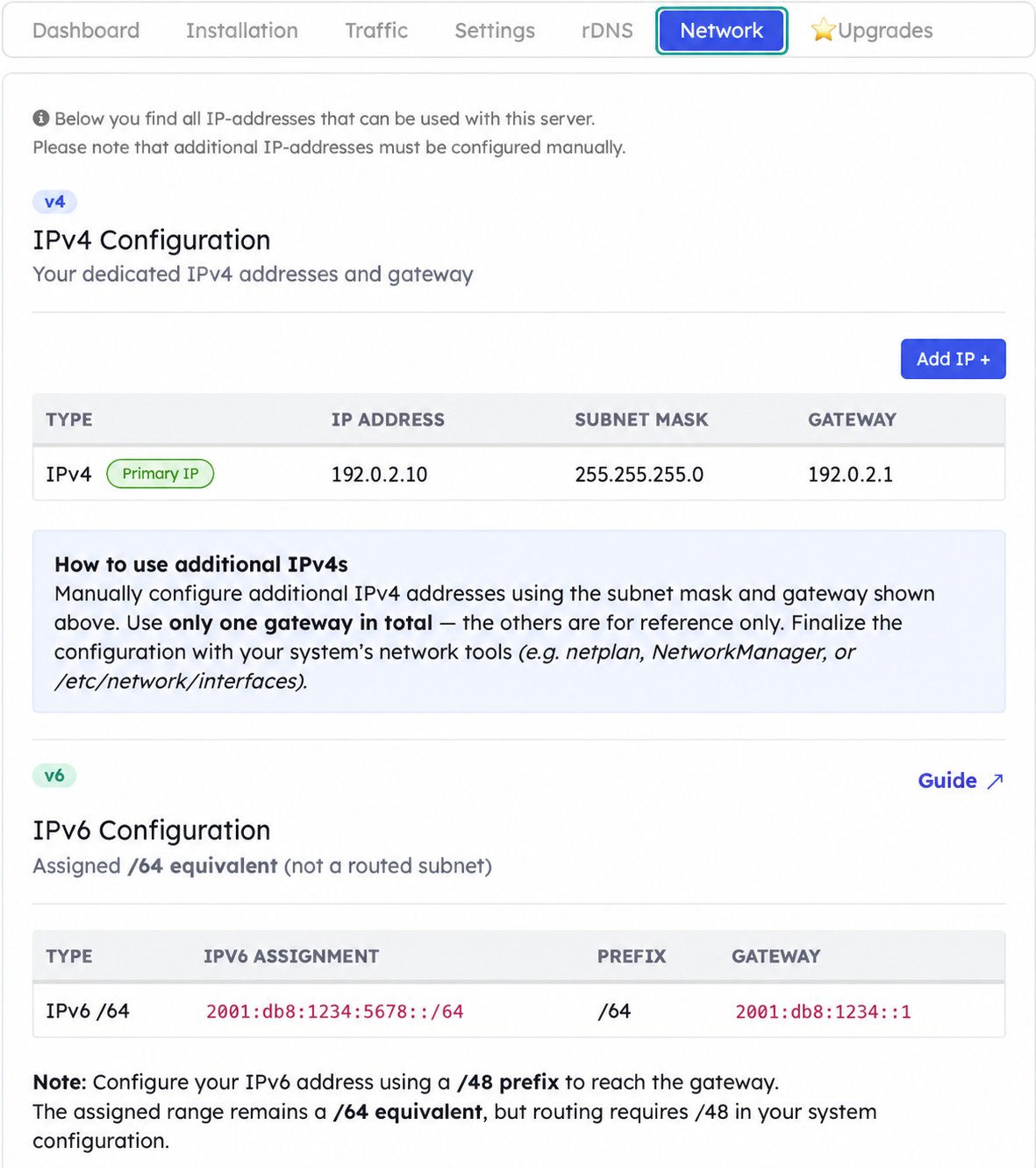
Start with Network. Addresses in these screenshots are documentation examples.
IPv4 address, subnet mask and gateway
Use the IP Address, Subnet Mask and Gateway shown for your service. The primary address is marked Primary IP. Additional addresses must also be configured inside the operating system.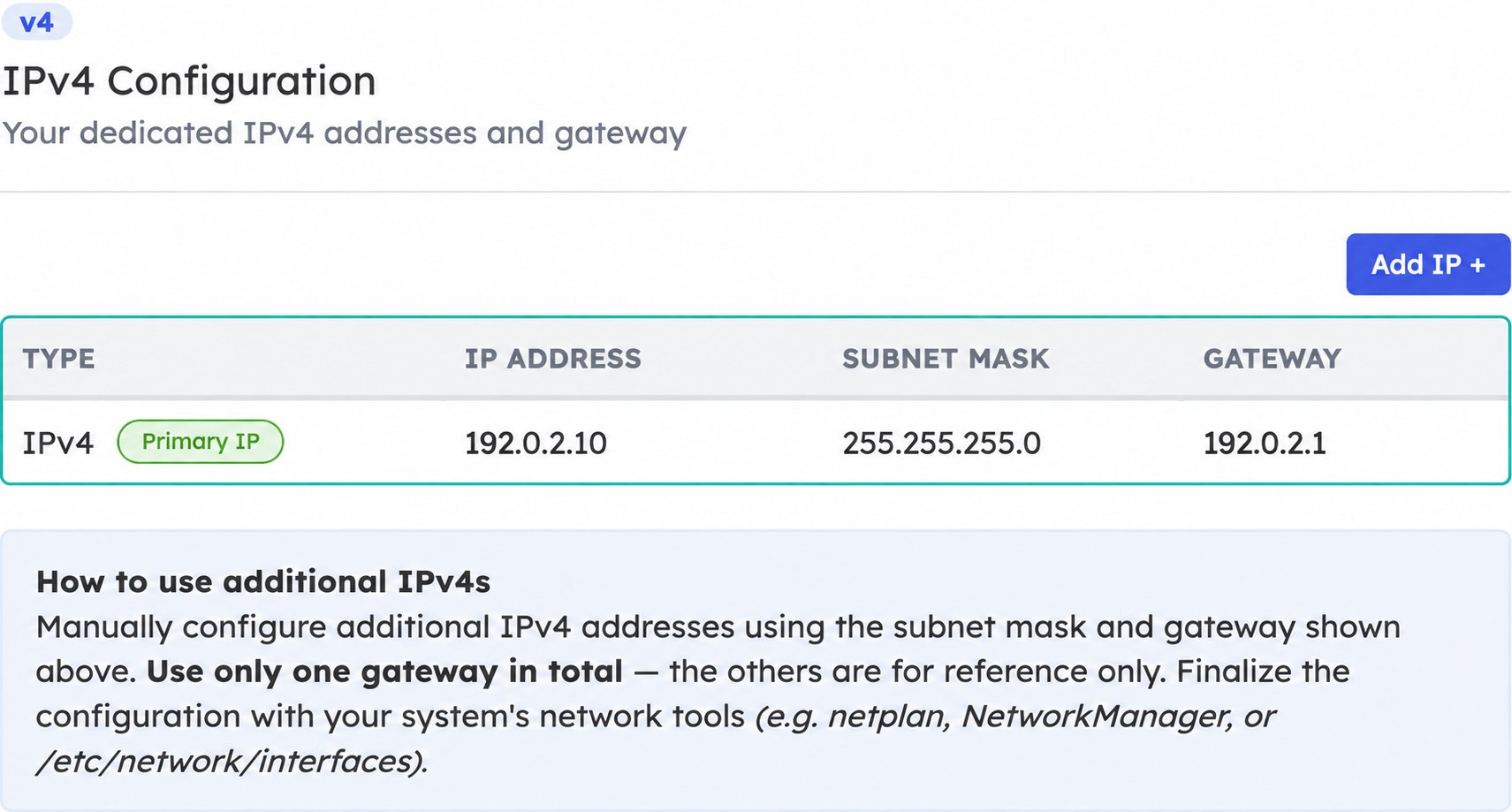
Copy all three values from your own VPS. The example address is not usable on your service.
IPv6 allocation and gateway
The panel shows an assigned /64 equivalent range. Choose an address within that allocation and configure it with a /48 interface prefix so it can reach the displayed gateway. The /48 setting does not expand your assigned allocation.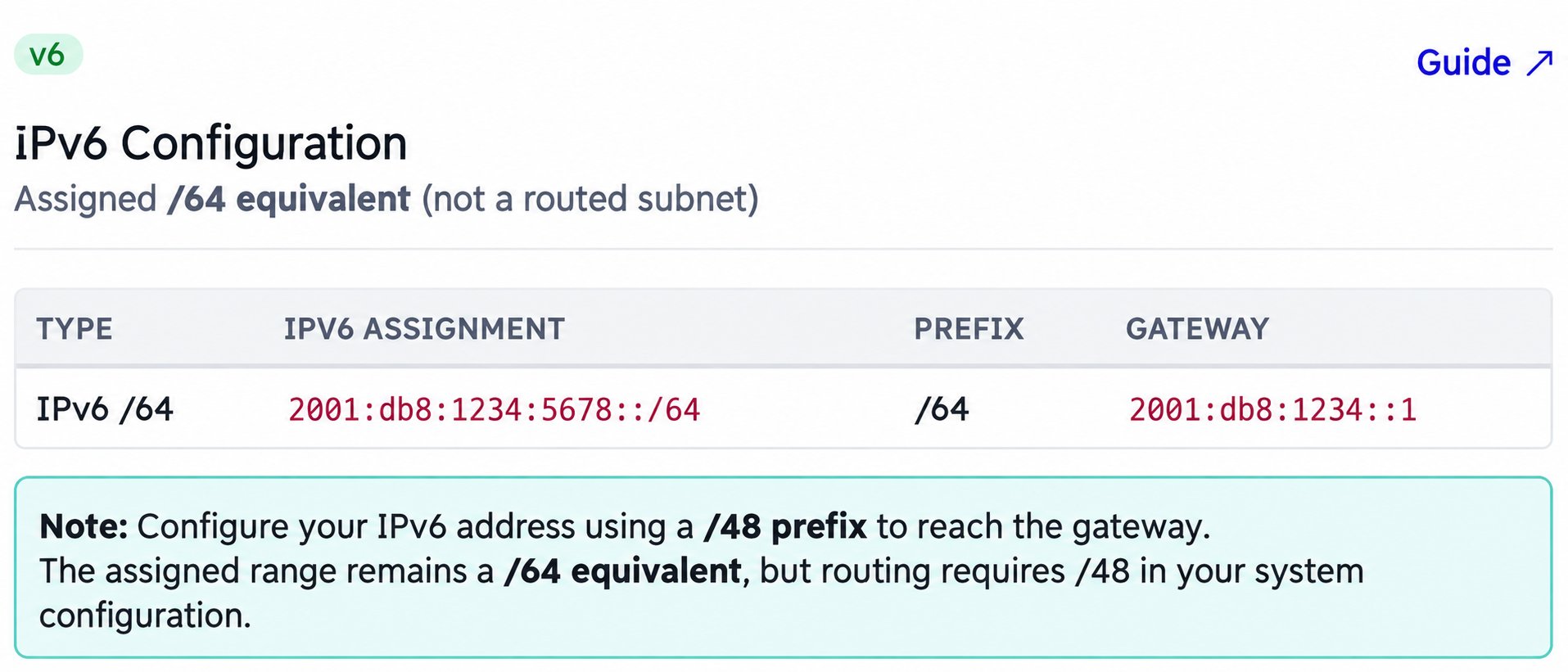
The assignment column describes your allocation; the note explains the interface prefix.
DNS resolvers
The Nameservers section is below the address configuration. It lists recommended public IPv4 and IPv6 resolvers; enter the chosen DNS settings in your operating system or its network configuration tool.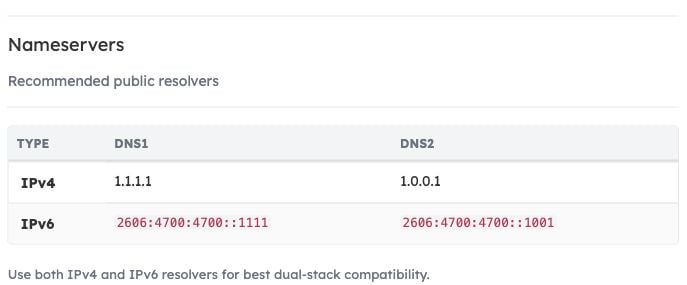
Scroll down within Network to find the DNS1 and DNS2 values.