

Find Bespoke IP Change
In the EDBB Control Panel, choose Services → Order New Services → Product Addons, or open Product Addons directly.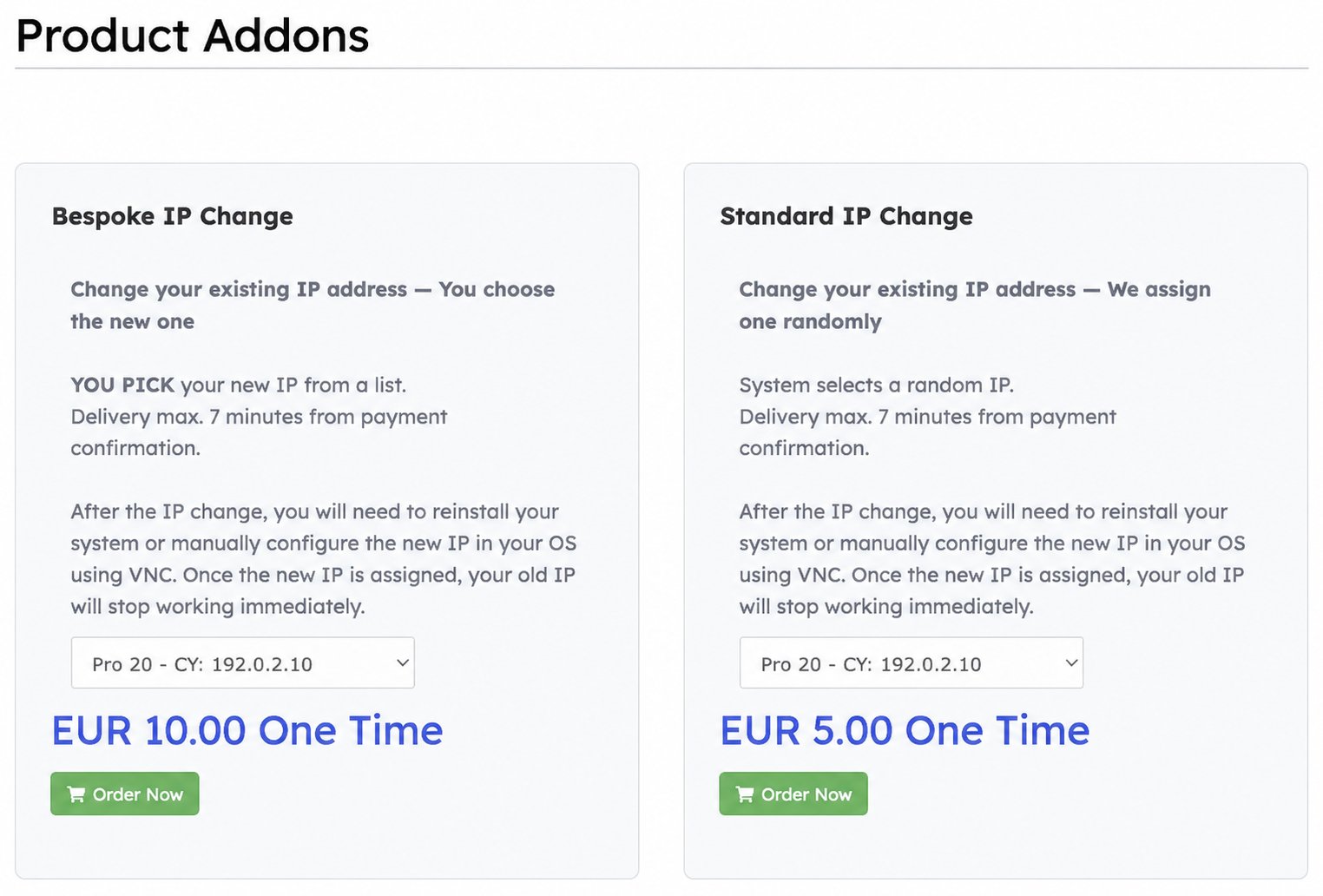
Choose Bespoke IP Change on the left to select your replacement yourself. Service addresses are examples.
Choose the old and new IP
1
Choose your VPS
Select the service in the Bespoke IP Change card, checking its plan, location code and current address. Click Order Now to open the cart review.
2
Select Old IP
Choose the existing IPv4 you want to replace. If your VPS has multiple addresses, check this field carefully.
3
Select New IP
Open Select New IP and choose an address from the available list. The choices depend on inventory at your VPS location. You select an individual listed address, rather than entering an arbitrary IP.
4
Review the order
Check both selections and the total. Click Checkout, review your billing information, choose a payment method, review the terms and complete the order when ready.
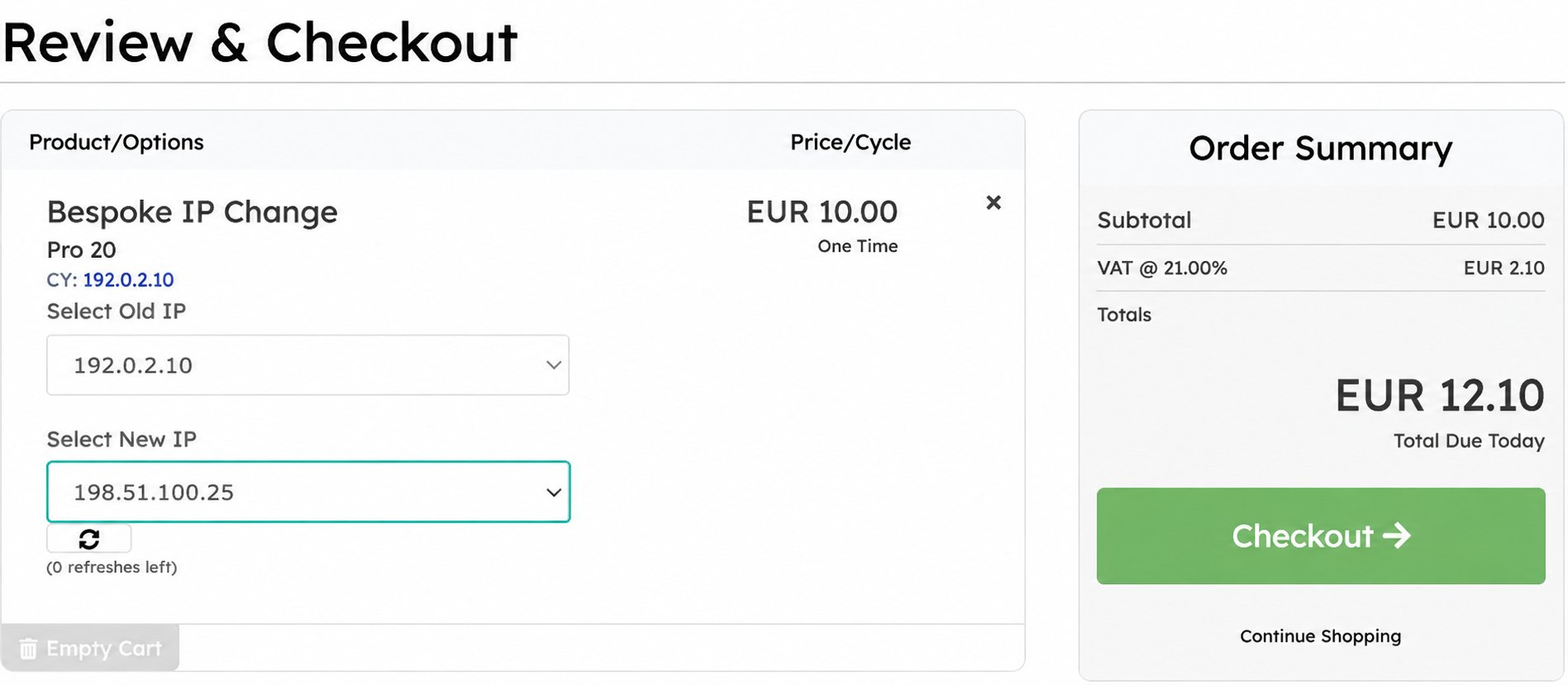
Select Old IP identifies what you replace; Select New IP is your chosen replacement. Addresses are fictional; the example total includes 21% VAT.
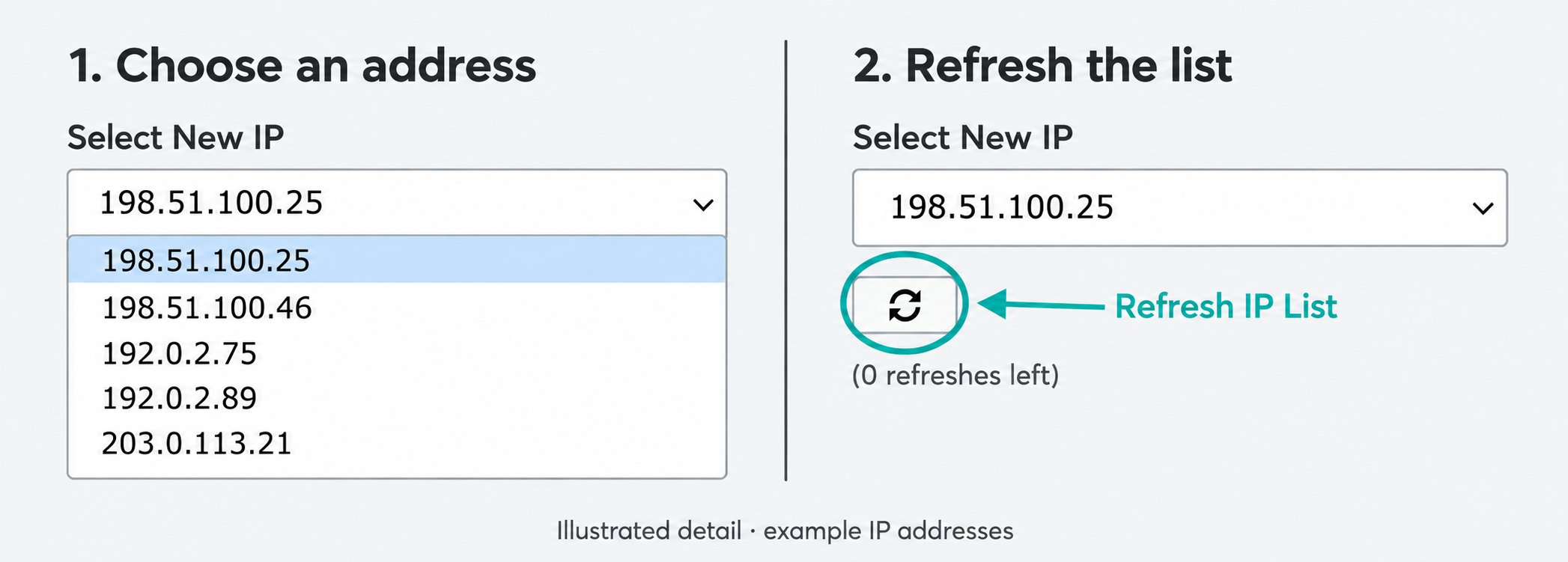
Illustrated closeup: choose an address from the dropdown; use the small circular-arrow button below it to refresh when refreshes remain. Example addresses, not live inventory.