Pay an invoice with account credit
Your account credit balance can be used to pay invoices directly from the EDBB Control Panel.When credit is applied
- Future invoices are covered automatically as long as sufficient account credit is available.
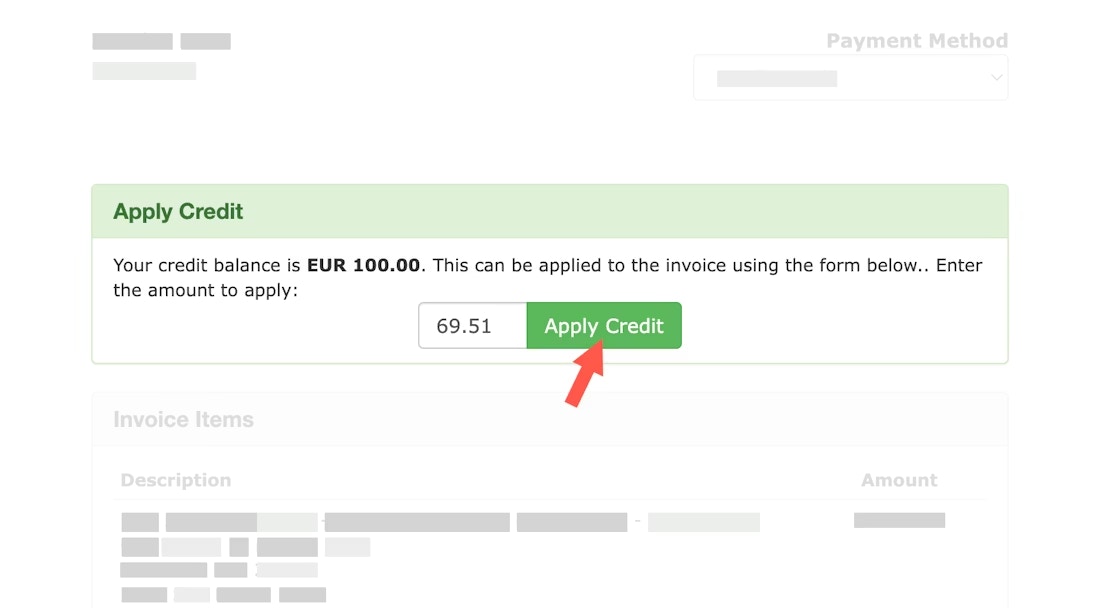
- Invoices that already exist must be paid manually by applying credit to the invoice.
Apply credit to an existing invoice
- Sign in to your EDBB Control Panel
- Navigate to the Billing section and open My Invoices
- Select the invoice you want to pay
- On the invoice page, look for the green Apply Credit area
- Enter the amount you wish to apply (or the full outstanding balance)
- Click Apply Credit to confirm