

Upgrade VPS Components
Component upgrades extend the resources of your current plan—RAM, vCPU, Drive Boost storage, or IPv4 addresses—without changing tiers or reinstalling the OS.
What You Can Extend
- Increase RAM for memory-intensive workloads.
- Add extra vCPU cores for parallel processing.
- Apply a Drive Boost to unlock additional disk space.
- Assign additional IPv4 addresses.
- Mix and match any combination of the above.
Billing is prorated just like plan upgrades—you pay only the difference for the days remaining in your billing cycle.
Order a Component Upgrade via the Control Panel
1
Open the VPS dashboard
Sign in at the EDBB Control Panel, go to Services, and choose the VPS you want to extend.
2
Go to Upgrade → Upgrade Components
Click the Upgrade tab, then press the blue Upgrade Components button. The comparison page lists each resource you can increase.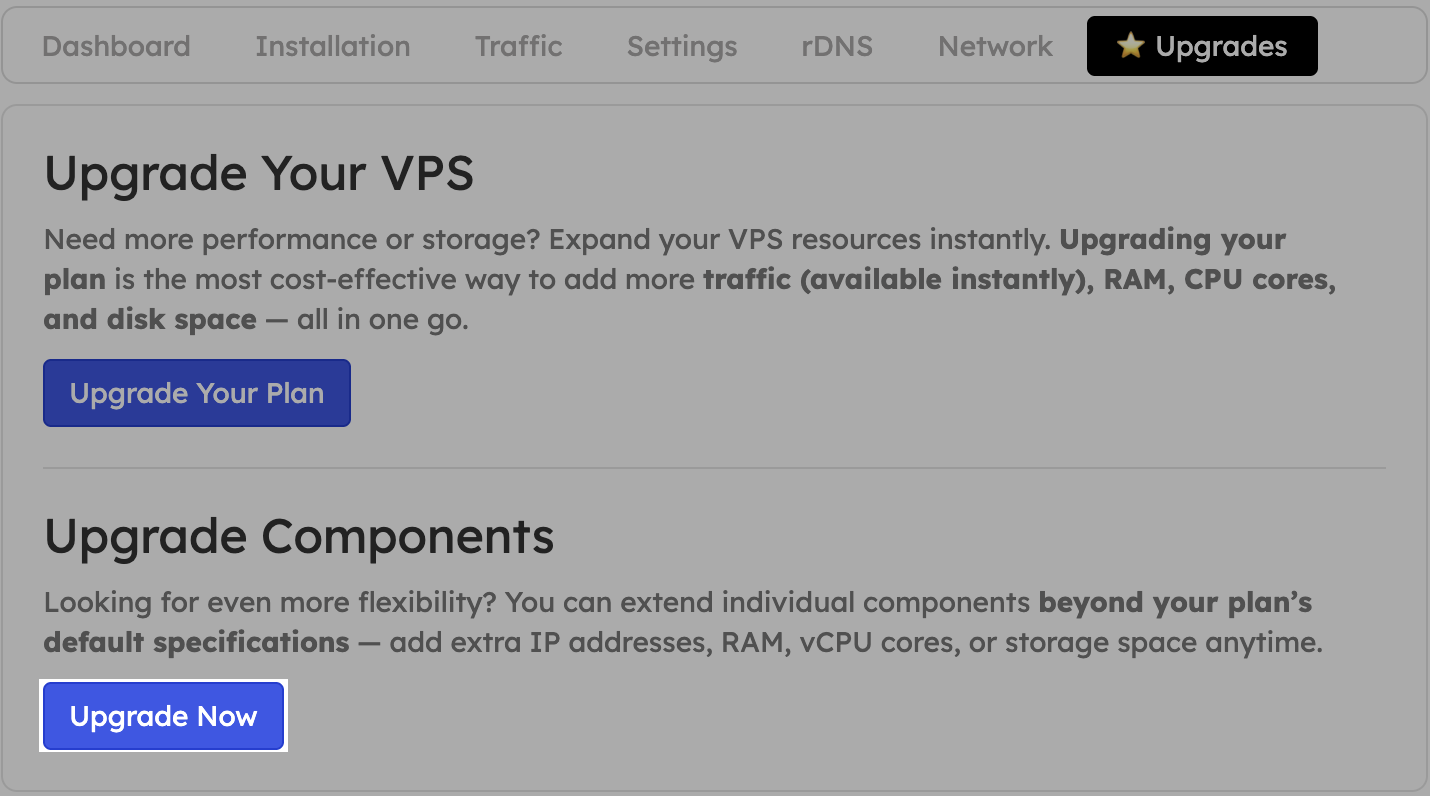
3
Select resources & checkout
Choose the additional RAM, vCPU, disk, or IPv4 addresses you need, pay the prorated invoice, and the changes apply automatically once payment clears.
Component upgrades may trigger a short reboot so the new resources take effect. Save your work before confirming the order.
After Payment
- Upgrades are processed within minutes after payment confirmation.
- Expect an email summarising the change.
- RAM & vCPU require a cold reboot inside the OS.
- IPv4 addresses must be configured manually on the VPS.
- Drive Boost expands the virtual disk, but you decide when to grow partitions or filesystems.