Your VPS renews unless you cancel it. Renewal invoices and automatic payment arrangements are separate: check that each invoice is paid even if you have a saved payment method.
Non-payment timeline
Day 0 is the renewal invoice due date. The following schedule applies to non-payment, not a cancellation you request yourself.
Recover service before deletion
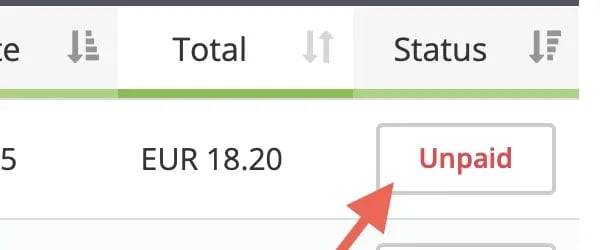
This screenshot illustrates the status label; its amount is an example, not a current plan price.
- Suspended for non-payment: pay the outstanding renewal invoice to reactivate the VPS automatically.
- Already terminated: contact support@edbb.com promptly to request recovery or reactivation before permanent deletion.
- Permanently deleted: recovery is no longer possible.
Keep independent backups. Retention after termination is not a backup service or an extension of your access to the VPS.
Invoice cancellation is not always data deletion
In the automated non-payment workflow, invoice cancellation accompanies final deletion. If you requested immediate or end-of-term cancellation, the renewal invoice can be cancelled earlier. On a combined invoice, only the cancelled VPS’s charges are removed.
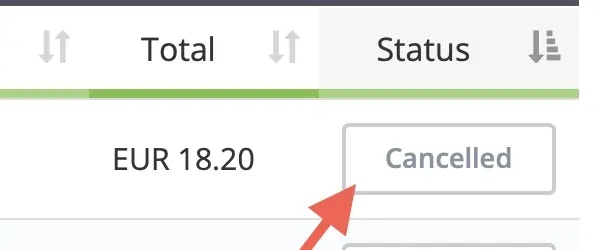
The screenshot illustrates a cancelled invoice, not confirmation that VPS data has been deleted. The displayed amount is an example.
The data-retention clock starts at actual service termination, not invoice cancellation. See cancel a VPS and data retention.
Avoid an unwanted renewal
Cancel before the next renewal invoice is generated if you no longer need the VPS. Turning it off does not cancel billing. Manage a PayPal subscription separately if one exists, and check the invoice status after any change to automatic payment arrangements.
For an eligible mistaken payment, see accidental renewal. EDBB plans use EDBB’s own prices and allowances, with the same VPS plan price across locations.
Annual billing
An annual cycle provides 12 months of service for the price of 11. Review the annual total in EDBB checkout. This is the confirmed billing-cycle offer; no separate volume-discount programme is available.