> ## Documentation Index
> Fetch the complete documentation index at: https://docs.edbb.com/llms.txt
> Use this file to discover all available pages before exploring further.
# Traffic statistics and monthly refills
> Read the EDBB Traffic tab, understand incoming plus outgoing usage, and track warnings, automatic assignments, throttling and monthly refills.
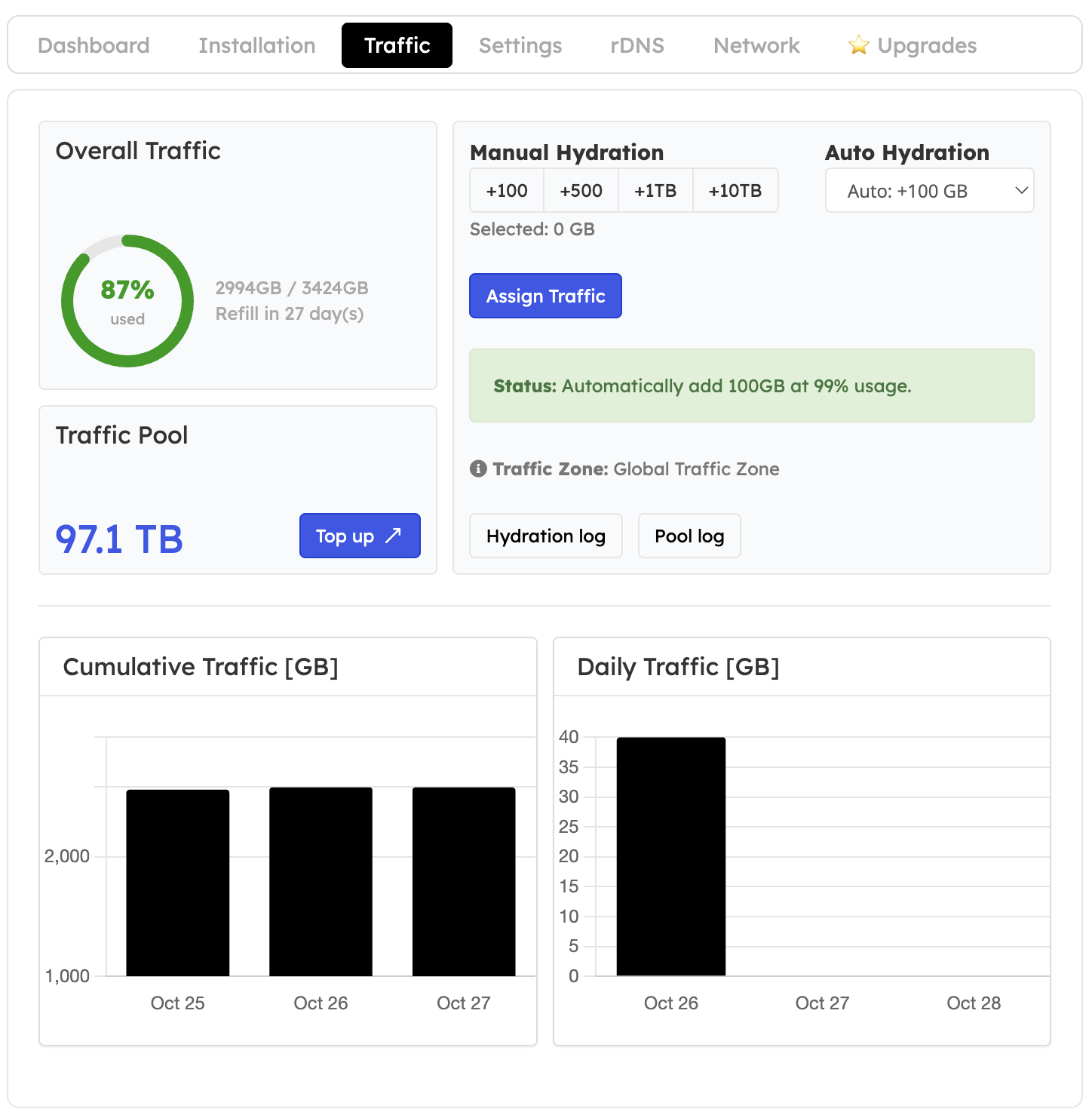
Open your VPS in the [EDBB Control Panel](https://my.edbb.com/clientarea.php) and select the **Traffic** tab to review usage, the refill date and pool assignments.
 ## Understand the allowance
**Current allowance = monthly Plan Traffic + Pool Traffic assigned during this cycle.**
**Remaining traffic = current allowance − traffic used this cycle.**
Traffic usage counts both **incoming and outgoing** data measured on the VPS Ethernet interfaces. Use the units displayed by the panel when comparing readings.
## Understand the allowance
**Current allowance = monthly Plan Traffic + Pool Traffic assigned during this cycle.**
**Remaining traffic = current allowance − traffic used this cycle.**
Traffic usage counts both **incoming and outgoing** data measured on the VPS Ethernet interfaces. Use the units displayed by the panel when comparing readings.
 ## Monthly refill
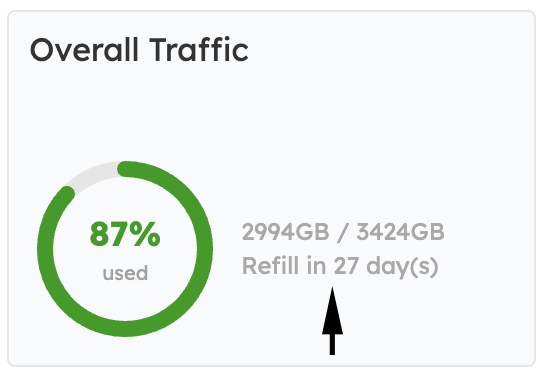
The VPS's monthly service cycle determines its refill, not the calendar month. At the refill, usage resets and the EDBB plan allowance is replenished. Unused Plan Traffic and Pool Traffic already assigned to the VPS expire. Unassigned pool balance does not expire.
## Daily usage and assignments
## Monthly refill
The VPS's monthly service cycle determines its refill, not the calendar month. At the refill, usage resets and the EDBB plan allowance is replenished. Unused Plan Traffic and Pool Traffic already assigned to the VPS expire. Unassigned pool balance does not expire.
## Daily usage and assignments
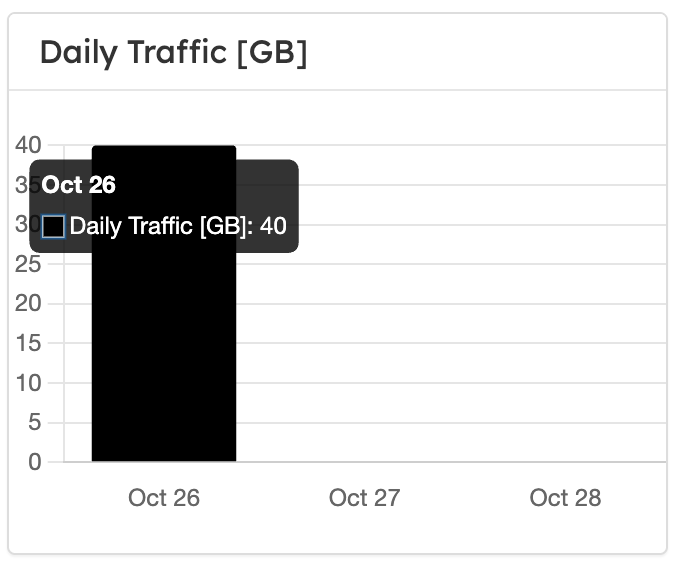
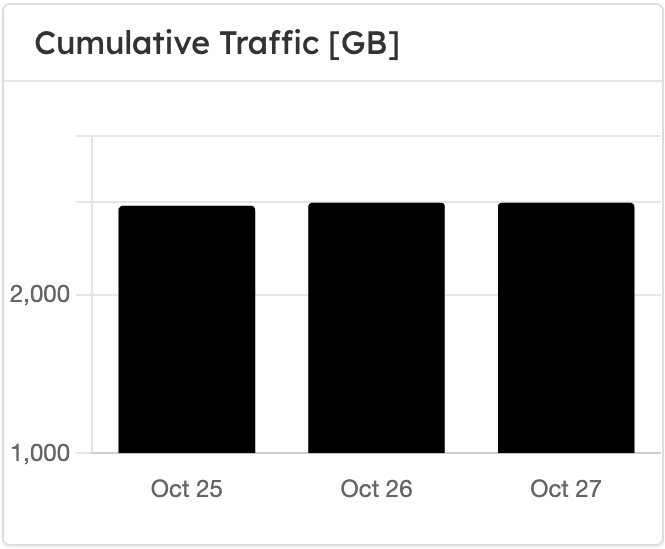 Use the daily and cumulative graphs to identify a spike and compare it with your jobs, downloads and logs. The **Hydration log** records assignments; those deductions do not prove the assigned traffic has already been consumed. See [Traffic Pool](/faq/traffic-bandwidth/traffic-pool).
## Notifications and rate limiting
| Threshold | Behavior |
| ------------------------ | ------------------------------------------------------------------------------------------ |
| 80% of current allowance | Informational email |
| 90% | Warning, suppressed if Auto-Hydration is enabled and the pool can cover its next increment |
| 99% | Auto-Hydration assigns the selected 100, 200, 300 or 500 GB if the balance is sufficient |
| Approximately 105% | About 64 kbit/s rate limit and an action-required notice |
There is no automatic overage charge. To restore speed, assign pool traffic, complete a qualifying plan upgrade or wait for the monthly refill. See [traffic limits](/faq/traffic-bandwidth/exceeding-monthly-included-traffic).
Use the daily and cumulative graphs to identify a spike and compare it with your jobs, downloads and logs. The **Hydration log** records assignments; those deductions do not prove the assigned traffic has already been consumed. See [Traffic Pool](/faq/traffic-bandwidth/traffic-pool).
## Notifications and rate limiting
| Threshold | Behavior |
| ------------------------ | ------------------------------------------------------------------------------------------ |
| 80% of current allowance | Informational email |
| 90% | Warning, suppressed if Auto-Hydration is enabled and the pool can cover its next increment |
| 99% | Auto-Hydration assigns the selected 100, 200, 300 or 500 GB if the balance is sufficient |
| Approximately 105% | About 64 kbit/s rate limit and an action-required notice |
There is no automatic overage charge. To restore speed, assign pool traffic, complete a qualifying plan upgrade or wait for the monthly refill. See [traffic limits](/faq/traffic-bandwidth/exceeding-monthly-included-traffic).